Monday, August 31, 2009

Review: SmartMovie by Lonely Cat Games – the best AVI/DivX/XviD Player for your Nokia N97 (and 5800/5530)

SmartMovie by Lonely Cat Games is a video player application for S60 (and other platforms) that allows you to play MP4V, FLV and 3GP videos.

I’ve been a big fan of SmartMovie ever since I got my 7610. When most phones out there couldn’t even play a video, SmartMovie was playing back music videos and TV shows.

You may have several videos stored in AVI format (.xvid/.divx/.avi), be it your home movies or backed up DVDs*. For S60 5th Edition Nokia handsets, like the 5800, 5530 and N97, there is currently only one solution to play your AVI videos on your phone. SmartMovie. The other S60 alternatives, DivX player nor Core Player do not work on S60 5th edition either properly/at all. DivX Player is jerky, does not work with touch and options are limited because it requires softkeys. Core Player is incompatible with S60 5th edition, (I would have tried it out but they have no try and buy).
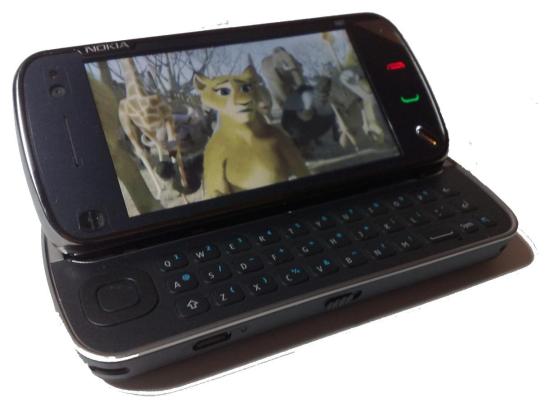
n97 b

You can try out SmartMovie at lonelycatgames.com. After downloading, be sure to install the “3rd edition” version – it works on S60 5th too.

Stick around as the Lonely Cat Games team have agreed to give away 5 licences** for the Full SmartMovie after this review to you guys.

The review will cover SmartMovie’s:

  1. Optimized Touch Controls
  2. Qwerty Keyboard Shortcuts
  3. Playback (TV out)
  4. Converter
  5. Settings
  6. Compatible Files
  7. Choosing Video Folders

Video demo part to be updated later.

(Sorry about the length of the review – it got longer than I had anticipated.)

1. Optimized Touch Interface
gi

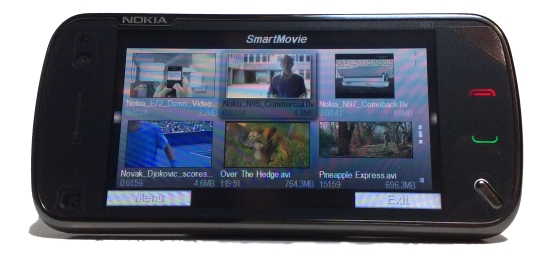
On S60, you can operate SmartMovie completely either by touch (as in 5800, 5530) or entirely by hardware keys (e.g. N86, N85, N82 etc.) On the N97, you’ve got the option for both which gives you the best overall experience.

SmartMovie works in portrait though landscape view is the best for viewing video (it’s nice that the option is still there).

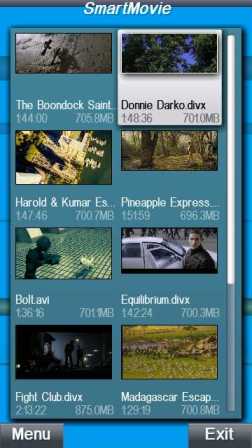
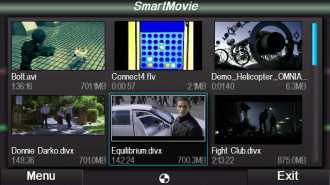
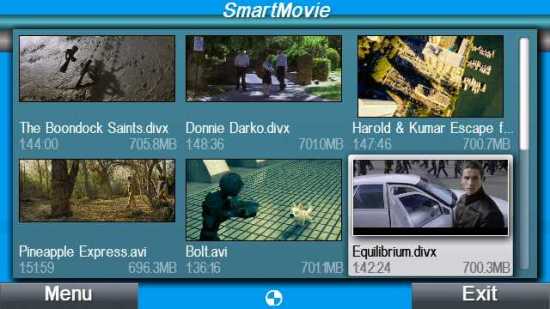
Videos appear as a 2×3 row of thumbnails (when in landscape) or 4×2 when in portrait.

MNBx000004

MNBx000006

Under each thumbnail is the title (including file type), video length and the video’s size. When you hover over (tap) a thumbnail, you get a slide show of scenes from the video and titles that were too long scroll across. Much better than simply either a list of video files or just random thumbnails.

Something quite surprising is that SmartMovie has kinetic scrolling. It really helps to get through a long library of videos (and it’s simply nicer to flick than do drag when scrolling).

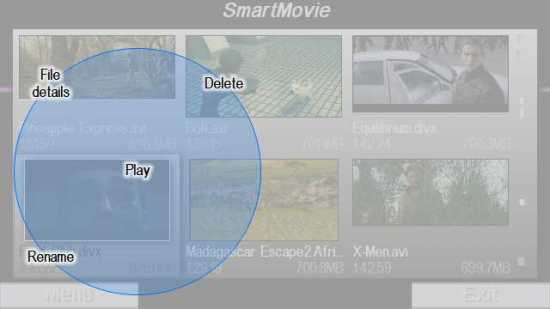
This next feature is very nice indeed. When you long press over a video thumbnail, a really cool circle expands around your finger giving you the option to delete, rename, play or view the file details. If you tap outside the circle, it disappears.
MNBx000013
A bit like the first time you “slide to unlock the iPhone” or experience Gravity’s flawless kinetic scrolling, I just had to keep pressing around to just watch this bubble of options grow around my finger. Very intuitive way to display some quick options.

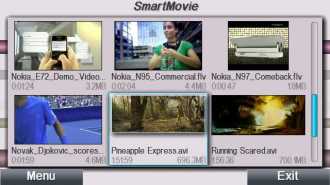
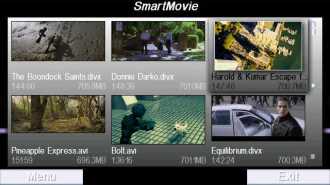
Another nice touch (no pun intended) is how the colour scheme matches your theme, even the animated bars that run behind your video list.
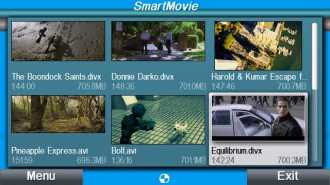
MNBx000004
Nseries 1 Theme
MNBx000079
Nseries 2 Theme
MNBx000080
Nseries 3 Theme
MNBx000007
ShazamiD theme

To play a video, just double tap it. Though the whole one tap, double tap thing may be an issue for some, it kind of makes sense because single tap allows the slide-show of scenes from the video.

MNBx000076
(Screencap at medium quality)

To access the basic controls (time line and volume) just tap somewhere on the screen.
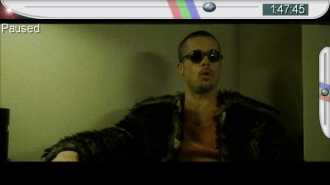
MNBx000051

When you drag the time line, a “picture in picture” window appears that shows a snapshot the precise scene you’ve dragged to. In longer videos that weren’t converted by the SmartMovie Converter, scrolling back gets more difficult.
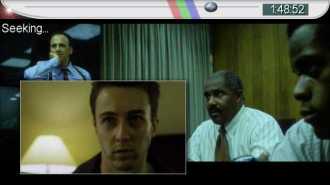
MNBx000050

Alternatively, instead of dragging you can just tap on a position in the timeline. Again, tapping backwards doesn’t seem to work that well for longer videos that are unconverted.

Double tapping pauses the video and brings up the settings. As you’ll see later, there are three setting views. Below is the touch screen version during playback.
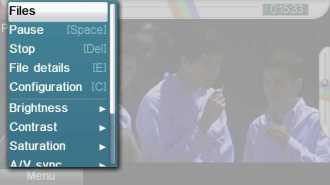
MNBx000073

You can exit by clicking files. When you exit SmartMovie, restarting it opens that video back to where you left it.

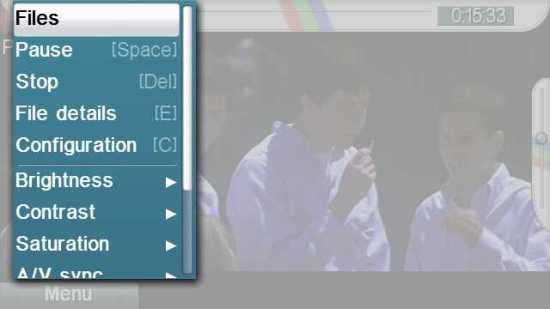
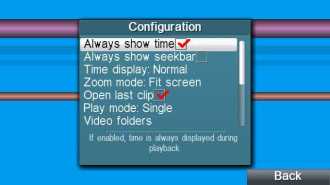
You can also access settings via the menu. This is the second view of settings.
MNBx000064

MNBx000066

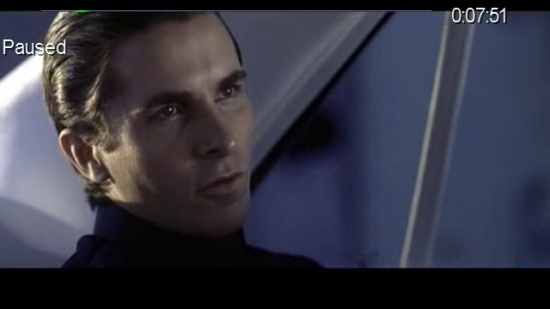
By default, the time line and time remaining are always visible. But you can hide these if you want (I do because it looks nicer hidden and my mind tries to work out how it could end given the amount of time remaining >_<)
MNBx000111

Screencap at high quality. Very sharp picture.

2. QWERTY Keyboard Controls:

Utilising the QWERTY keyboard for shortcuts has been an annoying scarcity on the N97, with few apps taking advantage of the keys.

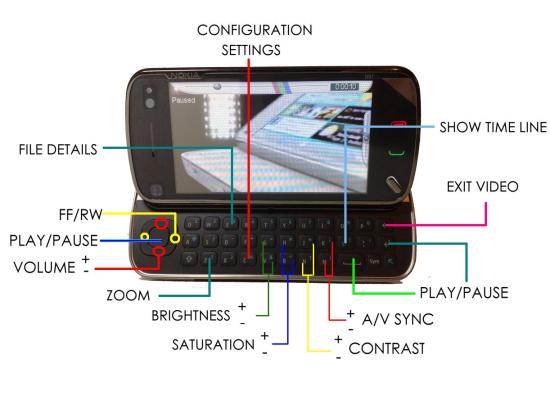
Not for SmartMovie. The D-Pad allows for the basic player controls, whilst other QWERTY keys have been specifically chosen so you can easily access settings whilst a video is playing (not possible via touch). This is particularly useful when adjusting the audio sync, as you can immediately see how you’re affecting the audio and can quickly alter get it synced up.

The first time I used SmartMovie, the key short cuts were simply corresponding to the generic keypad. i.e. 1 and 4 were A/V settings (I think, I may be wrong) But for some reason, though it’s the same 4.15 version, they short cuts seem to have been specifically adapted for a QWERTY keyboard.

Full set of controls are as follows:
Smart Movie N97

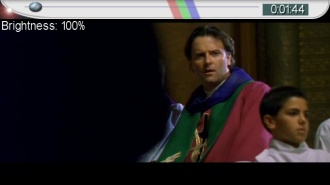
When using QWERTY controls, indication status pops up for a second then fades away, e.g.

  • as you press “G” you’ll see “Brightness: 100%, Brightness:110%” etc going up in the top left of the screen
MNBx000086

  • as you press “V” (directly beneath G) you’ll see “Brightness: 100%, 90%” going down in “ “
  • zoom notifications (if available) appear in the bottom left

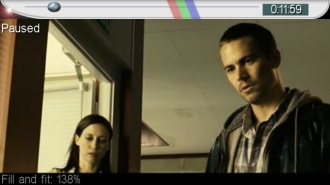
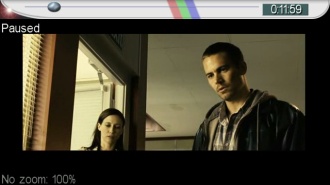
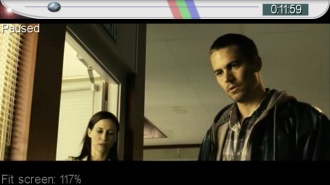
The “intelligent zooming” is a particularly nice function. If your video isn’t already 16:9, 640×360, pressing “Z” lets you zoom in to fill the screen as much as possible. The number of steps and the amount you can zoom up to depends on the file.
MNBx000103

MNBx000104

MNBx000105

MNBx000102

158%

It even works when you’ve got a 16:9 video encased in a 4:3 frame (we’ll see this in the Playback section)

Suggestion: Additional extra shortcut keys I would like to see:

  • to exit the video/smartmovie and them resume playback (only possible via touch)
  • show/hide time
  • in 3rd edition, pressing 9 goes through frame by frame each time you pause, holding makes it play is slow-mo. <

3. Playback –
MNBx000127

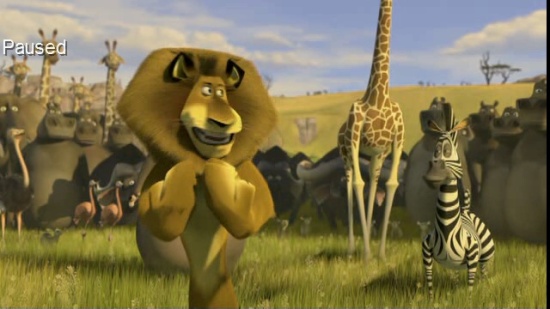
DivX DVD backups played by SmartMovie look absolutely fantastic on the N97’s screen. Before, the only way I could get my video-fix on the N97 was via BBC iPlayer (and video quality was quite good – but of course, only BBC content). SmartMovie really shows of how stunning the screen is; absolutely crisp pictures. As you’ll see later, you can adjust contrast/brightness/saturation within the player to further enhance your viewing.
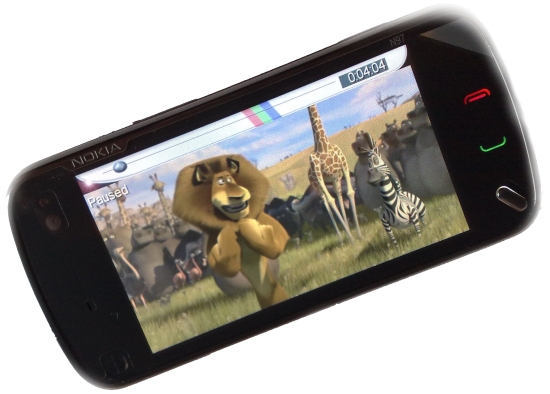
Image1

Photos By N82 (doesn’t do the vividness and sharpness of the picture justice)
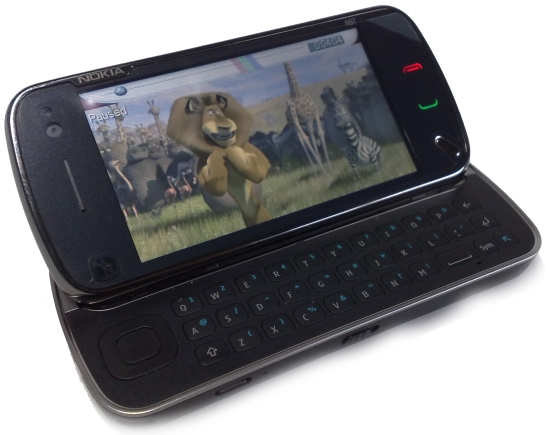
Image2

The frame rate/smoothness of playback is entirely dependent on how the video was originally encoded. Videos converted by the SmartMovie converter always playback fluidly, even at the fastest action scenes.

As long as your videos are already not too high in either resolution (i.e. not HD) or bitrate, you won’t need to convert them to play them with SmartMovie.

SmartMovie on the N97 handles my AVI library fine, although some action parts do slow down noticably. I’m not sure if there’s much hope in future SmartMovie software updates or if it’s just the limitations of the N97. On S60 3rd edition, overall SmartMovie plays at higher frame rates – (display is only 320×240) though it also slows down slightly in faster scenes.

Though also dependent on the source, sound quality is excellent, and the volume is astonishingly high. You can fix any audio-sync issues (either due to the file itself or an artifact caused by the N97) really easily.

The audio is best heard through headphones – either wired or via Bluetooth.

3.1TV OUT

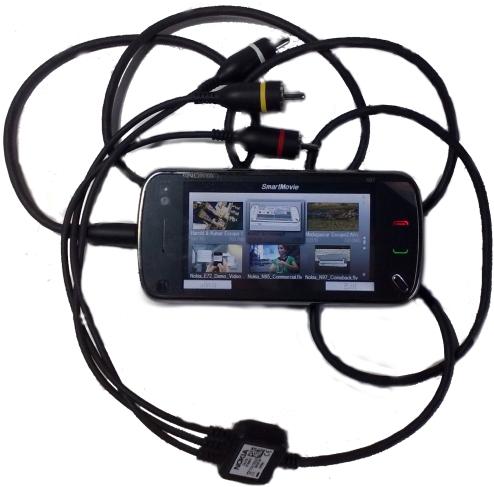
You’re going to need a CA-75U cable for this (not supplied with N97 but you may have one if you own other Nokia other models)22082009139
[demo in beginning of video]

The TV-out cable and SmartMovie adds another dimension to the N97, transforming it into ultraportable “DVD player” – no additional power source required (there’s enough battery life for at least a couple of films). Even more reason to love that SmartMovie handles my DivX catalogue well.

The TV-out resolution is 640×480, although most of the time, you’ll only see 640×360 (to match your screen). So 700MB film looks great on the big screen.

It’s not exactly the same as watching it directly from the 700mb source (i.e. not via a phone as you’ll experience dips in frame rate at faster scenes) but it’s good enough, and has wowed enough of my friends/family when they seen the TV playing a videos from my phone.

4. Converter.

If you do need to use the Converter for whatever reason, the SmartMovie converter is a very good one as it’s optimized for phones.

Just drag and drop a video, choose the phone model, convert and you’re done.
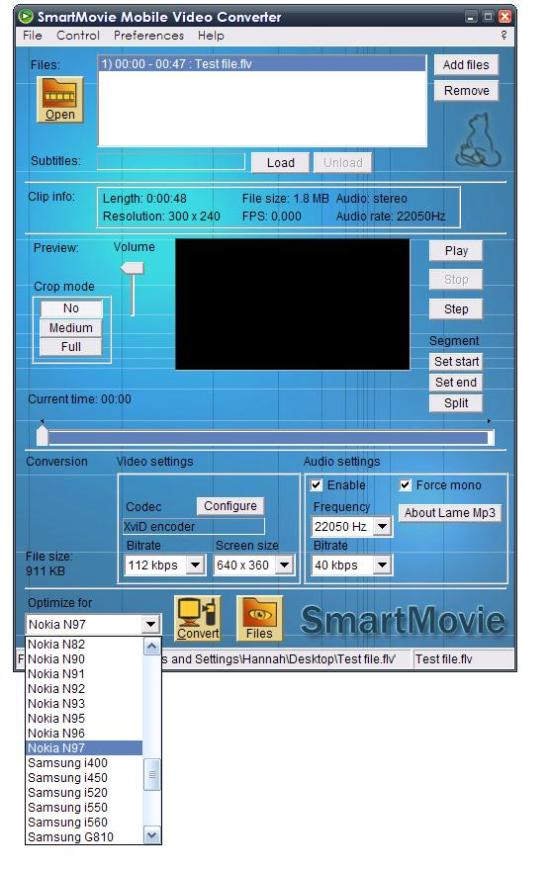
SmartMovie Converter

By default, the converter is set to 320×180, 112kbps, audio at 40kbps and in mono (XviD encoder). You can increase settings, but based on videos I’ve converted, the default 320×180 is somehow still better than 640×360 (it turns quite pixelated for some reason. You may want to increase the audio to stereo to take advantage of the N97’s stereo output via ispeakers/headphones (and also bitrate to 128kbps/Frequency to 44K whilst you’re at it).

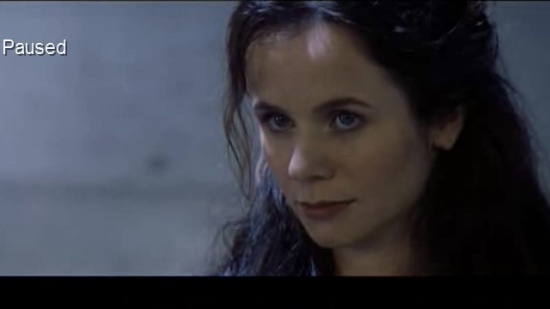
It’s surprisingly not bad on the N97’s screen,quite comparable to BBC iPlayer quality
MNBx000134
Original
MNBx000132
Converted, default 320×180

There are random blips of big pixelation/blockiness, but they aren’t that frequent.

MNBx000129

MNBx000131


Converted

Overall, it’s pretty good considering how small the file is (110MB) and is good enough for viewing on a phone (though not really if you use TV-OUT).

Conversion speeds depend on the original file, the resolution you’ll convert to and your computer. On average, to convert a 700mb/140minute movie it’ll take about:

      • 10-15 minutes to 320×180 – <
      • 20-35 minutes to 640×360 – <<>
      • 25-30 minutes via DivX encoder (320×180) <<>
      • 40-50 minutes via DivX encoder (640×360) <<>

“Back in the day” the main reason I’d use the SmartMovie converter was to shrink file sizes. When a 512MB card was considered a lot of memory on a phone, you simply had to be efficient with conversion. But with nowadays you don’t really have to (especially on devices like the N97 with oodles of memory to spare)

5. Settings

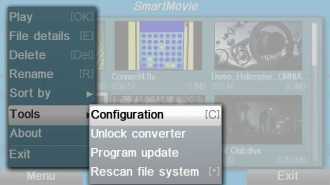
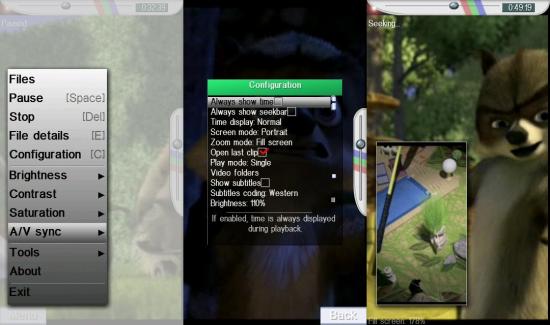
SmartMovie has an extensive array of settings accessible from the menu or during playback.

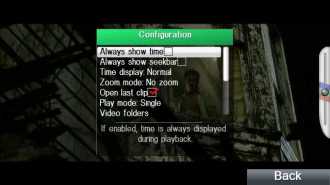
Configuration Settings
MNBx000077

MNBx000045
Pressing C brings QWERTY optimised settingsMNBx000073
Settings view via double tapping during playback

MNBx000066
Settings via menu.

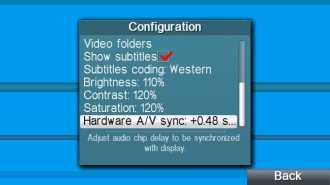
Note: Hardware A/V sync changes all videos A/V sync. However, when you change A/V sync within video playback (e.g. wth “k” and “m” keys,) only that video alters their A/V sync, and SmartMovie remembers you’ve settings so you won’t have to repeat it. Changing Brightness/Contrast/Saturation changes it for every video.
MNBx000117

Portrait view, 3 screenshots. All of settings are visible (no scrolling), but obviously isn’t best for watching video. Either it’s small or zoomed up that big chunks left and right are missing. But it’s very nice to have the option nonetheless.
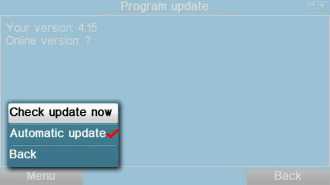
Program Updates makes sure SmartMovie gets the latest stability fixes and new features, and it’s very easy to do it from within the SmartMovie app.

MNBx000078

6. Compatible files

SmartMovie used to be just for AVI (.avi/.divx/.xvid) – the popular format for long videos as your files can be shrunken down but retain their quality. Though dependent on a number of factors, e.g. resolution, your standard DVD backup (around 640×360, 128kbs says Windows) of a 145 minute movie is only around 700MB. That means you can store 100 hours of DVD footage or 42 feature films on the N97’s internal memory alone, and still more to go with the memory card.

You may already have a collection of videos in DivX/.Avi format, be it backed up DVDs or camera footage saved in that format, so it’s a huge convenience NOT having to convert them to play them on your phone if you’ve got SmartMovie

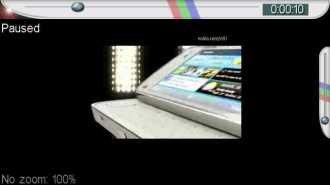
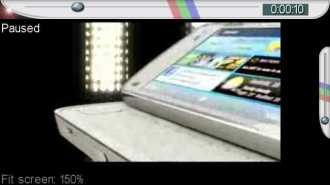
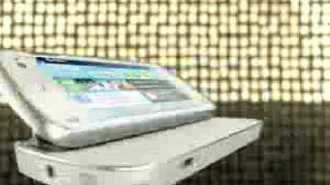
SmartMovie plays .flv files – as found when downloading from flash video sites such as YouTube. Although the N97 can play .flv natively, it doesn’t treat it as a video file. You cannot rewind/fast forward, nor do you have smartmovie’s intelligent zoom. SmartMovie can minimize the black bars you’d see when you have videos that aren’t 16:9. Sometimes on YouTube, you’d have a video that was 16:9 but it’s encased in a 4:3 frame (i.e. double the black bars). SmartMovie zooms in to the center to give full screen viewing.
MNBx000055
Flash video directly from youtube. No conversion. SmartMovie treats it perfectly as a video file. Original file is 4:3 with a 16:9 video in the middle
MNBx000056

MNBx000057
SmartMovie zooms in correctly to the 16:9 portion hidden in the 4:3 video

That covers practically all the bases of videos file types I’d ever want to transfer to my phone. SmartMovie also plays .mp4 extensions though at the moment, it doesn’t like the H.263 variety that your N97 records in – result is stuttering video.

.wav is also recognized.

7. Choosing video folders.

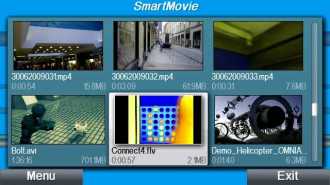
By default, SmartMovie scans your phone memory/massmemory/memory card. With all those recognizable files, your library is going to be swamped and a bit difficult to manage.
MNBx000071
Note size of scroll bar: Camera folders (for videos) recognized too

Since the 4.15 update, you can specify which particular folder in each memory bay to use.

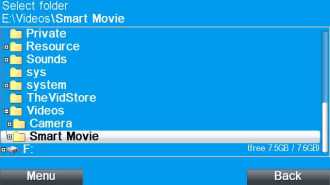
I’ve created a SmartMovie folder in the mass memory’s Video folder. (You can do this on the N97’s file manager, or on your computers file browser)

To show videos only from that folder, go to Tools>Configuration>Video Folders, E>Videos>Smart Movie.
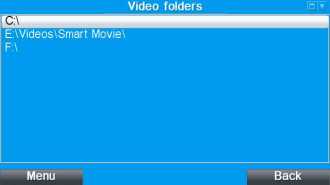
MNBx000054

MNBx000052

It’s a lot easier to do this with the N97’s D-pad. Centre button selects the folder whilst Left/Right are used to navigate. With touch, you have to press the tiny +/- to move around folders.

You can organize it even further, i.e.. within SmartMovie, I’ve created a folder for Movies and one for shorter clips.
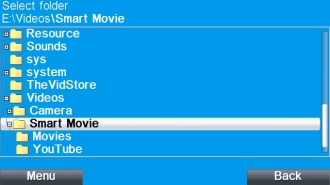
MNBx000107

As well as being useful, folder selection is somewhat of a necessity to do, because currently SmartMovie is prone to crash when you autorotate after having tons of N97 recorded videos being recognized. It doesn't always happen, but it stops happening if you do folder selections

Suggestion: In future updates, it would be nice to see folder selection feature more prominent/accessible instead of packed away within settings. Perhaps within the video menu view, have an option to view certain folders. e.g. clicking an icon lets me see the youtube clips you the youtube folder, clicking it again hides. it.

Finally, from the menu, you can arrange the order that your videos are shown.

MNBx000074

Conclusion

N97 A

For the N97 with its 3.5″ 16:9 nHD screen, 29.8GB memory plus more with expandable storage, QWERTY keyboard and TV-out – it was always screaming to be your portable video player. Until I rediscovered SmartMovie, I thought the only way I’d be getting any of the videos I want to watch on my phone is via BBC iPlayer or converting videos AGAIN to something the N97 could handle. With SmartMovie, I’m not limited to either options.

SmartMovie is a fantastic AVI/DivX/XviD video player, as well as handling FLV and 3GP.But as well as being capable of playing a wider selection of video formats, SmartMovie has a great UI to match – with brilliant touch and QWERTY keyboard customizations on the N97. There’s also a neat video converter included, though I’ve not needed to use that yet as it plays my video library quite well.

It would be nice if it was a frame rate or three faster at times (for higher resolution DVD backups – never an issue with converted files – which btw still don’t work on DivX player) – I’m not sure if that’s the N97’s limitations in software/hardware or something a future SmartMovie upgrade could do. I mean, DivX player is extremely similar to SmartMovie (in 3rd edition)and it’s inability to play AVI videos properly led me to assume neither would SmartMovie. I’m glad I was wrong.

Pros

  • It actually works with touch AND hardware keys (DivX Player)
  • Playsback .divx/.avi/.flv/.mp4 (except native N97 video) quite smoothly.
  • Great UI,
    • Displaying videos as animated slideshows, with scrolling thumbnails is pretty slick. Much better than having just thumbnails or just a list of video files.
    • Touch optimizations are very nice – kinetic scrolling and the settings bubble that grows around your finger when long pressing
    • Picture in Picture thumbnail when seeking through a video
    • “Intelligent Zooming”
  • Great QWERTY short cuts
    • Not only is it nice to have shortcut keys to quickly adjust settings, it’s great that they’ve been located specifically for a QWERTY keyboard, i.e. specific controls are adjacent to each other – brightness +/-
  • You’ve got a video converter included

Cons

  • Price

Though it’s among the higher priced applications at 21.99EUR (around 30USD/19GBP – same as CorePlayer) it’s not difficult to see that it’s actually a worthwhile purchase considering how much use it will add to your N97 (or applicable phone)

You can try out SmartMovie at lonelycatgames.com. After downloading, be sure to install the “3rd edition” version – it works on S60 5th too.

Licences for SmartMovie are transferable 3 times during 2 years after purchase.

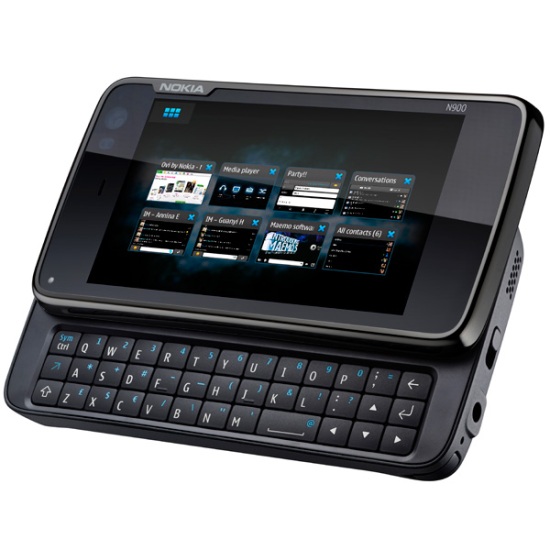
Nokia N900 Technical Specifications

Some beastly specifications coming from the N900, for around 500EUR/440GBP/712USD unsubsidized.There’ll definitely be some good UK contract deals if it starts unsubsidized 440GBP.

My only complaints right now is the battery (1320mAh, not 1500mAh) and of course, no Xenon. But apart from that, what a power house! 1GB RAM (256 physical, 768 Virtual) OMAP 3430 ARM Cortex-A8 600 MHz, OpenGL ES 2.0 – Extreme multitasking of even the most resource intensive of apps?

Some neat little features too with DLNA, Digital Stereo Audio RECORDING, Full Screen viewfinder for both 5MP camera and video – which is at 848 × 480 pixels (WVGA) videos at 25FPS – I’m guessing lower VGA res at 30FPS. No mention of the gesture areas/shortcut buttons seen in the hands on video.

m

Nokia N900 Technical Specifications

Display

  • 3.5 inch touch-sensitive widescreen display
  • 800 × 480 pixel resolution

Processor and 3D accelerator

  • TI OMAP 3430: ARM Cortex-A8 600 MHz
  • PowerVR SGX with OpenGL ES 2.0 support

Memory

  • Up to 1GB of application memory (256 MB RAM, 768 MB virtual memory)

Connectivity

  • 3.5mm AV connector
  • TV out (PAL/NTSC) with Nokia Video Connectivity Cable
  • Micro-USB connector, High-Speed USB 2.0
  • Bluetooth v2.1 including support for stereo headsets
  • Integrated FM transmitter
  • Integrated GPS with A-GPS

Mass Memory

  • 32 GB internal storage
  • Store up to 7000 MP3 songs or 40 hours of high-quality video
  • Up to 16 GB of additional storage with an external microSD card

Keys and Input

  • Full QWERTY tactile keyboard
  • Full QWERTY onscreen keyboard

Camera

  • 5 megapixel camera (2584 × 1938 pixels)
  • Image formats: JPEG
  • CMOS sensor, Carl Zeiss optics, Tessar lens
  • 3 × digital zoom
  • Autofocus with assist light and two-stage capture key
  • Dual LED flash
  • Full-screen viewfinder
  • Photo editor on device
  • TV out (PAL/NTSC) with Nokia Video Connectivity Cable (CA-75U, included in box) or WLAN/UPnP
  • Landscape (horizontal) orientation
  • Capture modes: Automatic, portrait, video, macro, landscape, action

Video

  • Wide aspect ratio 16:9 (WVGA)
  • Video recording file format: .mp4; codec: MPEG-4
  • Video recording at up to 848 × 480 pixels (WVGA) and up to 25fps
  • Video playback file formats: .mp4, .avi, .wmv, .3gp; codecs: H.264, MPEG-4, Xvid, WMV, H.263

Music and Audio Playback

  • Maemo media player
  • Music playback file formats: .wav, .mp3, .AAC, .eAAC, .wma, .m4a
  • Built-in FM transmitter
  • Ring tones: .wav, .mp3, .AAC, .eAAC, .wma, .m4a
  • FR, EFR, WCDMA, and GSM AMR
  • Digital stereo microphone
  • DLNA

Size and Weight

  • Volume: Approx 113cc
  • Dimensions: 110.9 × 59.8 × 18 (19.55 at thickest part) mm
  • Weight: Approx 181g

Box Contents

  • Nokia N900
  • Nokia Battery (BL-5J)
  • Nokia High Efficiency Charger (AC-10)
  • Nokia Stereo Headset (WH-205)
  • Video out cable (CA-75U)
  • Nokia charger adaptor (CA-146C)
  • Cleaning cloth

Email and Messaging

  • Supported protocols: Mail for Exchange, IMAP, POP3, SMTP
  • Support for email attachments
  • Support for rich HTML
  • SMS and Instant Messages as conversations
  • Support for Nokia Messaging service
  • Instant messaging and presence enhanced contacts
  • Multiple number, email and Instant Messaging details per contact, contacts with images
  • Support for assigning images to contacts

Web Browsing

  • Maemo browser powered by Mozilla technology
  • Adobe Flash™ 9.4 support
  • Full screen browsing

Operating Frequency

  • Quad-band GSM EDGE 850/900/1800/1900
  • WCDMA 900/1700/2100 MHz

Data Network

  • GPRS class A, multislot class 32, maximum speed 107/64.2 kbps (DL/UL) EDGE class A, multislot class 32, maximum speed 296/177.6 kbps (DL/UL) WCDMA 900/1700/2100.
  • Maximum speed PS 384/384 kbps (DL/UL) HSPA 900/1700/2100. Maximum speed PS 10/2 Mbps (DL/UL) WLAN IEEE 802.11b/g

GPS and Navigation

  • Integrated GPS, Assisted-GPS, and Cell-based receivers
  • Pre-loaded Ovi Maps application
  • Automatic geotagging

Personalisation

  • Background pictures
  • Widgets on your desktops
  • Intelligent contact shortcuts
  • Shortcuts to your favourite websites
  • Shortcuts to applications
  • Themes

Battery

  • BL-5J 1320mAh

Colour

  • Black

Box Contents

  • Nokia N900
  • Nokia Battery (BL-5J)
  • Nokia High Efficiency Charger (AC-10)
  • Nokia Stereo Headset (WH-205)
  • Video out cable (CA-75U)
  • Nokia charger adaptor (CA-146C)
  • Cleaning cloth

Via Maemo.nokia.com

10 Ways to Improve the Nokia N97

The N97: Still some room for improvement.

The N97: Still some room for improvement.

How would you improve Nokia’s N97 smartphone? That’s the question of the day. My answers inside!

1. Prioritize the user experience over everything else. If that means throwing in a faster processor so the phone doesn’t lag when scrolling, so be it. But this could also be something simpler, like masking loading times with animations. A $750 phone shouldn’t feel slow or choppy.

2. Get rid of the directional keypad and make the QWERTY keyboard bigger and better.

No one is going to be playing N-Gage games on the N97. The directional keypad is way, way too close to the edge of the phone, making it difficult to use it effectively. It’s just too cramped, and for me, playing a game for more than 2 minutes strained my fingers. And the actual keypad just isn’t made for gaming. Game controllers are made so you can just shift your thumbs over to move Up/Down/Right/Left. Here, you’ve got to move your thumb around thanks to that (pretty useless) center button.

Removing the keypad would allow for a full QWERTY keyboard, with larger keys in the correct places. That means the Space Bar in the middle, the ZXCV row underneath the ASDF keys, Shift keys on both sides, etc.

Also, consistent tactile feedback would be great, too. Right now every N97 I’ve used has some very nice-feeling keys (anything in the second row, for example), and some really squishy ones (bottom row – ugh). I find myself having constant issues wondering whether I pressed or didn’t press a certain squishy key.

3. Fix the lock key. Once and for all. I seriously cannot believe how buggy the lock key is, and how Nokia hasn’t been able to fix this.

4. Move the Menu key somewhere else.
I personally can’t stand the location of the menu key (so much so that I’ve even remapped the camera key to act as a Menu key, more on this in a later post). It’s in a lousy spot that’s just not finger friendly to one-handers. Maybe this is a little revolutionary, but how about putting the Menu key on one of the sides, a la Lock key or Volume keys? It might not look as elegant, but it’d be a hell of a lot more functional.

5. Throw in a better email client. Preferably one that actually works (contrary to my experience with the onboard email client). Nokia’s own alternative, Nokia Messaging, is just far too slow to be practically used in a serious mailbox. My not-so-serious mailbox that’s filled with less than 100 emails lags like crazy when scrolling or opening up individual emails. We need a responsive email client, and we need it now!

6. Make the keyboard functional in more places, instead of just the Music Player.

There’s a lot of instances on the N97 when the keyboard just isn’t used or used to its fullest potential. Some examples are the Home screen, where the phone simply ignores all keys except those reserved for dialing, and the browser, where the keyboard is also summarily useless. The fixes aren’t difficult. At the Home screen, just default to contacts search (or the add a new contact menu). As for the browser, the keyboard should open up the Go To box and allow you to quickly enter URLs.

The funny thing is that S60 Third Edition phones with keyboards (ie. E75) do a great job integrating the keyboard into the phone experience. Why can’t the Fifth Ed.phones do the same?

Finally, I’d also love to see keyboard shortcuts for applications.

7. Put the 5800 XpressMusic speakers on the N97.
The 5800XM’s stereo speakers were, quite simply put, awesome. The N97’s, on the other hand, kinda suck. They certainly sound puny and tinny by comparison.

8. Move the audio jack. The jack is centered on the top of the phone. This is a really lousy spot because having something plugged in there directly interferes with using the phone in landscape mode (since people tend to hold the phone by its sides). Somewhere in the top right corner of the phone sounds good to me.

9. Remove (or change) the camera key.
I find myself constantly hitting the Camera shortcut key by mistake, usually when attempting one of those finger yoga exercises that I have to go through to press the Menu button. The lens cover automatically opens up the camera application anyway, and you can snap pictures using the touch-screen. A manual touch-focusing feature, similar to that on the Xperia X1, could replace the autofocus. Alternatively, if Nokia allowed me to disable the camera key entirely, I wouldn’t be complaining.

10. Improve the widgets system.
Widgets are small apps that can be added to your Home screen, and they’re an important part of the N97 experience. Yet there’s so little flexibility involved that it’s a wonder that anyone actually uses them. Why am I only allowed to have 2 sets of shortcuts? Why can’t I have widgets in different places, depending on the screen mode? What’s the point of adding a “Hide Content” button? Instead of flicking the screen to hide widgets, how about adding support for multiple “Spaces”, a la OS X? There’s a lot of potential here for some really cool stuff.

How-To: Play DOS Games On Your Nokia N97 [DOSBox]

Run some of the greatest DOS games on your Nokia N97!

Run some of the greatest DOS games on your Nokia N97!

Before there was Windows, there was DOS. A command-line interface with nothing but text, text, and more text. During the ’80s and ’90s, DOS was the OS of choice for gaming. And there were lots of great games.

Flash-forward to today. Thanks to an open-source emulator called DOSBox, you can now run those oldies-but-goodies on your Nokia N97 (or 5800XM, or any other S60 3rd or 5th Edition phone, for that matter). This how-to will get you started installing and running games with DOSBox.

Let’s begin!

The Setup

You’ll need the following:

- DOSBox. Latest version as of this writing: 2009-06-23.
- Custom dosbox.conf and premapper.txt files. Dosbox.conf is a config file, and premapper is a key map file. I’ve zipped them both up for your enjoyment. More on this later.
- DOSBox Binary Dependencies. Required to run the program. Click the “Binary Dependencies” box to show the link.

Installation

1. Copy the following files to your N97, in any folder of your choosing. Do not install yet.

- glib.SIS (from Binary Dependencies zip file)
- pips_nokia_1_3_SS.sis (Binary Dependencies)
- SDL-1.2.13-s60-2.3.4_armv5.sisx (Binary Dependencies)
- ssl.SIS (Binary Dependencies)
- stdcpp.SIS (Binary Dependencies)
- stdioserver_s60_1_3_SS.SIS: this may refuse to install. If it doesn’t install, skip this file. (from Binary Dependencies zip file)

- full3/dosbox.sisx: note that this is the full version dosbox, not the slim one. The slim one is for crappier phones. It should be located in the full3 folder in the dosbox zip file.

2. On your E: (Mass Memory) drive, check to see that you have a Data folder. If not, create it. Also, create a Games folder. You can choose to copy games to this folder now or later.

3. Copy the following files to the Data folder in Step 2.

- dosbox.conf
- premapper.txt

4. Install all binary dependencies files first (i.e. the first six files in Step 1). These should install without any prompts.

5. Install dosbox.sisx. I installed it on my Mass Memory drive, but I doubt having it on the phone memory would make any difference.

6. Run DOSBox. If you’ve done everything correctly, you should see something that looks like this (my directory already has games in it, so it’ll probably be different):

DOSBox: Your screen should look similar to this.

Congratulations, you’re done with the first (major) part. You can safely type “exit” to quit.

Key Mapping

Before you go digging around DOSBox, you might want to read a little bit about key mapping, and which buttons do what:

I’ve included my default key map file (premapper.txt). Basically all of the letter keys should function properly, both lowercase and uppercase. The Function key (blue diagonal arrow) does nothing. However, the Sym key is extremely important – it toggles between the normal/letter mode and number/special character mode:

Press Sym to toggle number/special mode, and press it again to return to letter mode. In number mode, the following keys are different:

- The top row of keys will default to their correct number (ie Q will be 1, W will be 2, and P will be 0).
- The Backspace key is now an ESC/escape key. You might need this in certain games to quit.
- The S key is a / or forward slash key.
- The D key is a – or dash key.
- The arrow keys move the mouse cursor, instead of acting as arrow keys.
- The 5-way directional key (the key inside the arrow keys) functions as a left click.
- The Space Bar functions as a right click.
- The H, J, and K buttons are Home, Up, and Page Up, respectively.
- The B, N, and M buttons are Left, Down, and Right, respectively.

I’m still messing around with key mappings, so check back for updated versions. Next thing I’d like to add is a left click on touch in number mode.

Adding Games, Running DOSBox, and Navigating DOS

Next, you’ll need to find some old DOS games. There’s a lot of sites that host this stuff – simply Google “Abandonware” or “dos games” and you should come up with quite a few. Once you’ve gotten hold of some games, copy them to your E:\Games directory. It’s best to create directories for each game, since each game could have tons of little files, and you don’t want to drop everything into one directory.

Now load up DOSBox again. You should see some commands that were automatically entered (see Configuration and Key Mapping section for more), and a listing of the current directory. For now, here’s the basic commands necessary to navigate through DOS: (be sure to enter the command and then hit the enter key afterwards)

cd – switches to the directory you specify in . Without the <> of course.
cd.. – go back to the previous directory
dir – displays a list of files in the current directory
dir .exe or dir .bat – displays a list of files with the exe or bat extension. Works with any other extension also.
– run a file. Only works on executable files such as .exe, .bat, and .com.
exit – quit DOSBox.

Let’s go through an example. I’ve copied a game called “dune” to my Games folder.

C:/> cd dune

This switches to the “dune” directory.

C:\DUNE> dir .exe

This displays all of the executable files in the dune directory. Running the command on my N97, I see that there’s a DUNE2.EXE file. This should be the main executable file.

C:\DUNE> dune2

This runs the executable and loads the game. You don’t need to add the extension.

Not too bad, right? And if you need some game suggestions, here’s a couple that I’ve tried:

- Dune 2 (one of the first RTS games made, a little slow but very playable and still a lot of fun)
- Commander Keen (excellent classic side-scroller game)
- Dark Sun (oldschool RPG, slow but playable)
- Civilization (the original that started it all)

Configuration

DOSBox includes a dosbox.conf configuration file that you can use to change the options. I’ve made the following changes to the dosbox.conf:

- devicescreenwidth and devicescreenheight is set to match the N97 (640×360)
- mouse sensitivity is 500
- cycles = 3000 (default is 800)
- all sound (pc speaker and sound blaster sound effects) have been turned off to increase frame rate
- upon loading, DOSBox will automatically mount the E:\games drive, read the premapper.txt file in E:\data, go to the E:\games directory, and display all files in that directory

Feel free to change any or all of the above settings to whatever you’d like.

Things to Remember

- E:\games is the default games directory. You can change this in the dosbox.conf file.
- E:\data is the default data directory. Make sure you put the dosbox.conf and premapper.txt files here.
- The config file is set to automatically open up the E:\games folder and display the contents.
- Sound will kill your FPS.
- Changing your s60scale variable will too.

Other Stuff

- You can also apply the same steps to the Nokia 5800 XpressMusic. However, since the 5800XM has no physical keyboard, you’ll have to use a virtual keyboard – read the help files included with DOSBox for more info on this. I don’t have a 5800XM any more, so I can’t test this.
- If you’d like to install DOSBox for other platforms (like Windows or OS X), check out the official DOSBox page.

Credits

Well, for the most part the above was figured out by me. Credits, however, do go out to a user named Lorenzo over at the Sourceforge page, who provided a custom key map that I used as a base for my own mapping. And major props to kljc for porting DOSBox to the S60 Fifth Edition platform – if you like what he’s doing, consider donating to the DOSBox project.

S60 editions

I've always think if a software will work on my nokia mobile
so i searched for all the editions of the symbian OS

here is the list

S60 edition S60
version number
Symbian OS
version number
Devices
S60, version 0.9 0.9 6.1
S60 1st Edition 1.2 6.1
S60 2nd Edition 2.0 7.0s
S60 2nd Edition,
Feature Pack 1
2.1 7.0s
S60 2nd Edition,
Feature Pack 2
2.6 8.0a
S60 2nd Edition,
Feature Pack 3
2.8 8.1a
S60 3rd Edition 3.0 9.1
S60 3rd Edition,
Feature Pack 1
3.1 9.2
S60 3rd Edition,
Feature Pack 2
3.2 9.3
S60 5th Edition 5.0 9.4

Nokia Beta Labs Nokia Image Exchange v0.97 S60v3 SymbianOS9.x Signed


Nokia Image Exchange v0.97

Nokia Image Exchange is an experimental image gallery to make browsing and sharing photos fun and easy.

Nokia Image Exchange is an experimental image gallery to make browsing and sharing photos fun and easy. It aims to provide a seamless integration of a mobile image gallery application and a corresponding web-service. Image Exchange explores user experience when the mobile phone is enabled with an always-on data connection and utilizes existing contact information as a basis for social networking.

A few notable highlights include: automatic account creation, automatic back up and synchronization of image data, instant sharing, notifications about new images from contacts and a web interface for uploading and downloading images.

Note: The first time you use Image Exchange it may be initially slow as it generates image thumbnails and uploads images onto your private web account. If available, you can use a WiFI network and charger during this period. After initial upload the application should be quite fast.

Very Important Notice: Nokia Image Exchange is an experimental research project by Nokia Research Center. It can transfer very large amounts of data. A flat-fee data plan or WiFi access is essentially required. For similar mainstream Nokia services, check out Nokia Ovi Share.

What's New in This Release:

· Interface has been translated to English, Russian, Spanish, Finnish, Chinese and Swedish. Do note that some languages such as Chinese depend on the firmware to be able to show the characters correctly. Changing language requires to restart Nokia Image Exchange.
· Image rotations now work on 3.2 devices with accelerometer (e.g. N85)
· Symbian 3.0 devices are now supported


Download Here

CoreCodec CorePlayer v1.35.7340 Repacked


CoreCodec.CorePlayer.v1.35.7340.Symbian.OS.9.x.S60 v3

Repacked - LORD MADA
Original Topic ------} See here

What's New?

1 - Including 8 Skins
2 - Arabic Language has been activated (translated by corecodec)
it was hidden because it contains some errors
will be edited by me in next repack

3 - Tweaked:
- Hotkeys:
- Automatic Association with:
AVI , DIVX , WMX , ASF , OGG , H264 , MKV , FLV , M1V , OGM , TS

Install notes:
1 - Remove previous versions before install.
2 - Need a cert. or hack your phone (all tools are included)
3 - Restart (recommended for some phones eg,N73) to activate the new icon and skins properly.


Download Here
Or
Download Here

All Epoceware Applications With KeyGen

All Epoceware Applications Incl. KeyGen
All Applications Are Here Including KeyGenerator....
All Application Versions Are New & Uptodate!


Compatible devices: LG KS10 (Joy), LG KT610, LG KT615, Nokia 3250, Nokia 5320 XpressMusic, Nokia 5630 XpressMusic,Nokia 5700 XpressMusic, Nokia 5730 XpressMusic, Nokia 6110 Navigator, Nokia 6120 classic, Nokia 6121 classic, Nokia 6124 classic,Nokia 6210 Navigator, Nokia 6220 classic, Nokia 6290, Nokia 6650, Nokia 6710 Navigator, Nokia 6720 classic, Nokia E50, Nokia E51,Nokia E55, Nokia E60, Nokia E61, Nokia E61i, Nokia E62, Nokia E63, Nokia E65, Nokia E66, Nokia E70, Nokia E71, Nokia E75, Nokia N71,Nokia N73, Nokia N75, Nokia N76, Nokia N77, Nokia N78, Nokia N79, Nokia N80, Nokia N81, Nokia N81 8GB, Nokia N82, Nokia N85, Nokia N86 8MP,Nokia N91, Nokia N91 8GB, Nokia N92, Nokia N93, Nokia N93i, Nokia N95, Nokia N95 8GB, Nokia N96, Samsung i7710, Samsung i8510 INNOV8, Samsung SGH-G810,Samsung SGH-i400, Samsung SGH-i450, Samsung SGH-i520, Samsung SGH-i550, Samsung SGH-i560, Samsung SGH-i570, Samsung SGH-L870.

http://ul.to/w6g00c

http://www.uploading.com/files/4CQRM...eWare.zip.html


Download Here
Or
Download Here

Symbian Application Pack - August 09


This Package contains all written apps (with all versions available) by KloNom till August '09. Here's the Listing:
S60V3:
* Battery Manager 1.0
* Battery Manager 1.5
* Battery Manager 1.5e
* EasyPySay v1.0
* EasyPySay v1.2
* EasyPySay v1.4
* EasyPySay v1.5
* EasyPySay v1.6
* FreeAir v1.0
* FreeAir v1.2
* FreeAir v1.3
* SpyMe v0.5
* TagMe v0.5
S60V5:
* BubbleWrapper v0.6
* CarLocker v0.9
* Magic Conch Shell / Magische Miesmuschel v1.0
* Meiern v1.0
* touchoBurpo v1.0
* touchoFarto v1.0
* XPiano v0.4
Have Fun!

Free Download
Or
Free Download
Or
Free Download

Quickcalendar, Quickclock, Quickexpense, QuickID, Quickweather


For more information about this products got to http://www.quickoffice.com/

For Nokia Eseries Devices
E71,E71x,E72,E75,E63,E90,E66,E52,E55,E50,E51,E60,E 61,E61i,E62,E65,E70

Thursday, August 27, 2009

Augmented Reality App ARound v0.82.87 S60v5 FP2 - Use Camera To Capture The Real World


Over the last year many so-called “augmented reality” applications have been popping up, specially on the Android platform. While the concept is not new (research on the proper field of Augmented Reality dates back to the ’90s), it has generated some media attention lately. Unfortunately there is no mention so far of any similar application on Symbian smartphones, so Sequence Point Software S.L decided to bring this function on S60 devices. The result is ARound. This project aims to fill the gap by providing a prototype application featuring the use of sensors (GPS and compass), camera and location based services.


The application overlays the image stream generated from the camera with markers of “Points of Interest” around the user. It has been developed for the Nokia N97 and a hand full of other Nokia devices. Making use of plugins allows third-party developers to customize the application at different levels. The application is using the internet to download the Wikipedia, landmark and Twitter information.

Features
- Showing Points of Interest using Wikipedia information, landmarks and tweets
- Use of Data Source plugins, which allows third-party developers to add their own sources of information.
- Display different details of each point of interest, including hiperlinks to external resources.
- Being a pluggable component makes it possible for third-party developers to include it as a customized view into their applications.

This is a freeware applications I’ve tested on the N97 and the N86. It works fine for both devices. I’ve also tested this software with the 5800 XpressMusic. Unfortunetely it didn’t worked.


Download Here

Talkonaut v5.56.66 S60v3 S60v5 SymbianOS9.x Signed


Talkonaut supports Jabber, Google Talk, ICQ, MSN, AIM and Yahoo networks both for chatting and voice calling.

Brief description

Talkonaut is freely available, VoIP enabled, Google Talk like application for your mobile phone. Basically, there are two editions of Talkonaut: the one for Symbian s60 based Nokia mobile handsets, and the other one for J2ME platform which is available on a large scale of mobile phones, including Windows Mobile and Palm handsets. Talkonaut supports Jabber, Google Talk, ICQ, MSN, AIM and Yahoo networks for chatting and voice calling.

The ourstanding feature of Symbian S60 edition of Talkonaut is "VoIP over GPRS" capability, that allows you to make free long distance and overseas calls utilizing your data connection such as GPRS, EDGE, 3G or WIFI.

Features:

Free calls to Google Talk, MSN/Live Messenger, Yahoo Messenger, SIP phones and other Talkonaut fellows right from your mobile over GPRS, EDGE, 3G or WIFI connection.
Talkonaut 4.0 Cheap calls to mobile and landline phones using GTalk2VoIP infrastructure.
Free calls using your existing SIP accounts from major public SIP services like: voipstunt.com, sipnet.ru, etc.
Sending and receiving IM messages and invitations for all major IM networks: Google Talk, Jabber, ICQ, MSN, AIM and Yahoo.
User-defined status messages and displaying status messages of your contacts right in the roster.
Flexible contact list management: searching, adding, removing and renaming contacts; organizing contacts in groups by IM network type; user-defined groups of contacts.
Intuitive full-screen graphics, with tabs and popup messages; well structured menus, quick access by hot-keys and lots more.
Navigation using joystick and key-pad (customizable), support for touch-screen inputs (stylus).
Built-in smileys support.
Customizable alarms and notifications using sounds and vibration.
Multi-language: English, German, Spanish, French, Italian, Ukrainian and Russian languages are currently supported.
Viewing contacts' vCards; modifying your own vCard.
Multi-user chats (text conferences) complient with Jabber standard. Lots of existing chat rooms available.
Talkonaut 4.0 Full-featured conference moderation and private chat support.
File transfer according to Jabber standard.
Support for Jabber Service Discovery to work with other IM transports, to search ICQ contacts and to send SMS messages over Mail.RU Agent.
Support for ZLib traffic compression, which reduces GPRS traffic consumeption in 5-10 times.
Support for encrypted SSL connection.
Support for HTTP Binding which makes possible to use Talkonaut over WAP and limited GPRS connections.
Support for modified User-Agent to pass proxy connection for some mobile carriers (O2 in Germany).

v5.56.66:

Fixed:
1. "Back" action "opening Tools-> Search" (jud.jabber.ru).
New Features:
1. DTMF input in the form of a call added.
2. File browser improvements (icons, search string).
3. Image shows when you send or receive through the file transfer.


Download Here

RAMADAN Special II, Nokia Quran,Hadith, Prayer Times, Zakah Calculator


Quran

Read, bookmark passages and listen to the Holy Quran using a multi-lingual interface.


Prayer Times

Detailed prayer timings and accurate Qibla directions for 1,000 cities in 200 countries.


Cards

Preview and send a range of customizable mobile cards for different occasions.


Zakah Calculator


An interactive feature to work out your contribution to charity with updated rates for gold, silver and currency.


Hadith

Browse through the Honourable Hadith, consisting of books from renowned scholars.


Hajj and Umrah

An easy-to-use hand-held guide that offers information on places to visit during the pilgrimage.


Mozzaker

Enjoy, download and share regular Azkar and selected prayers every day.


Download

RomPatcher 0.8 Plus BETA


RomPatcher+ is an improved and fixed version of the RomPatcher software developed by ZoRn
This is the list of the main differences in comparison with RomPatcher by ZoRn:
- New: it is now possible to apply/remove patches with just 1 click.
- New: added vertical scrollbar.
- New: introduced support for a new tag: "+SuperPage" which allow to patch the RAM area where is stored the SuperPage.
- New: two new options available "Dump Rom" and "Dump SuperPage".
- Fixed: Kern-Exec0 error when closing RomPatcher after a patch was applied.
- Fixed: doesn't unexpectedly crash when using large and complex patches.
- Improved: the shadow ram memory is now fully released when a patch is removed.
- Improved: better compatibility (supports the new OmniaHD and probably future devices).
- Improved: the "Patch Info..." option shows all the information lines contained in the patch.
What's NEW?
+ New: "Patch Info" option is now available and working.
+ New: An official webpage for RomPatcher+ has been created.
+ Fixed: The autostart configuration get corrupted after a while.
+ Fixed: DumpRom command now correctly unlock the file if the operation is cancelled
+ Improved: Removed the version number information from the "System Info" menu'. (it is already shown in the menu' About...)
+ Improved: Changed the order of the options in the menu' to make easier to select "Add to Auto / Remove from Auto"
+ Improved: Updated credits.
+ Removed: DisableCaps.rmp and Open4All.rmp patches have been removed.

How to install
There are 3 different ways to install RomPatcher+
1) If your phone has been hacked to allow installation of unsigned .sis then install RomPatcherPlus0.8.sis
2) If your phone has been hacked and has the Leftup root ca, then sign the RomPatcherPlus0.8.sis using the Leftup certificate and install it.
3) Otherwise, you can sign and install the "Lite Version", using a DevCert or OpenSigned Online. But, in this case, you MUST also manually copy the patcher.ldd in c:\sys\bin\ folder
Currently RomPatcher+ is in BETA stage, so, use it at you own risk!
If you apply the same patch with both rp and rp+, it will be successfully applied only by the first one, the other will report the red icon error


Download Here

Astraware Boardgames v1.11 S60v3 S60v5 SymbianOS9.x Regged BiNPDA


Astraware Boardgames includes 8 games, each with user-customizable rules and a range of difficulty levels, but designed with casual players and non-experts in mind. If you're a new player or an old hand who just enjoys a fun traditional board game, then Astraware Boardgames is just for you.

Astraware Boardgames offers 3 levels of gameplay that everyone can enjoy, even complete beginners, If you're new to board games, you can play a nice easy game to begin with and when you're winning those regularly, select a harder difficulty.


The game features plenty of options so that you can choose to play it your way - against the computer, or alongside other players, and with your choice of rules, so whether you like huffing in checkers, flying in nine men's morris, or want more ladders and less snakes, Astraware Boardgames lets you play it your way!

The gameplay and graphics are designed to evoke the feel of classic board games, played on wooden boards, with traditional playing pieces and satisfying piece movement. Astraware Boardgames includes Chess, Backgammon, Ludo, Checkers, Reversi, Nine Men's Morris, Snakes and Ladders, and Tic Tac Toe.

Features:

· 8 classic boardgames in one easy-to-use pack
· User customizable rules so you can play it your way
· 3 levels of difficulty, designed for casual players and non-experts
· Evokes the feel of classic boardgames played on wooden boards

v1.11:

· Added support for S60th 5th edition devices!
· Added support for 360x640 and 640x360 resolution devices
· Various minor bug fixes


Download Here
Or
Download Here
Or
Download Here

VNC Plus v1.3.5 S60 J2me

The application is ideal for system administrators, IT managers, helpdesk and support personnel and many others using VNC server on their Windows, Mac or Unix platforms.
Whether you just need to check inbox or send e-mail, edit the document, install or start a new application - with VNC+ it is also possible.
Just install the application on your mobile device, enter your IP host address and the password used in VNC on your desktop and you are ready to view and experience the mini desktop on your mobile phone. To learn more about VNC read the online Wikipedia encyclopedia.
Key Benefits:
* Multi OS support: Windows, Mac, Unix
* Remote access. Access your files, e-mails, documents, edit and send them on the go.
* Ability to access any computer remotely. With the IP address and a password you can access any computer remotely.
* Program Management: Install and Remove applications on your PC remotely from a mobile device
* One-time fee with all future updates included free of charge.
Key Features:
* SSH secure connection end encryptions plugins for Ultra VNC are supported.
* Different shortcut sets for Windows, Linux, Mac OS. Copy, cut, paste or edit your document. Create and edit your own shortcuts.
* Zoom in and zoom out modes. Change the mode for more convenient view and work.
* Direct Input. Select this option to type.
* Mouse and Keyboard options. Turn one or the other one on depending on the task you are trying to accomplish. Chose "Mouse" for selection and "Keyboard" for typing.
* Scroll Mode. Convenient for scrolling your desktop faster.
* HotKeys. Assign Hotkeys for all of the above features.

Gold or Cyan Ramadan - With Touch Icon S60v3 Themes

Fp1 and Fp2 phone themes with touch icon for People who celebrate ramadan mubarak

Ramadan - S60v3 QVGA FP1 and FP2 Themes

Ramadan - S60v3 QVGA FP1 and FP2 Themes
QVGA themes for fp1 and fp2 phones.

Garmin Mobile XT 5.00.60 S60v3/v5 SymbianOS9.x

Add full-featured navigation to your GPS-enabled smartphone with Garmin Mobile XT. Just plug this data card into your compatible phone¹ (see specs tab) and start navigating. Garmin Mobile XT puts pre-loaded maps, spoken turn-by-turn directions, real-time services, and many more great features in the palm of your hand. With a price of just $99, you’ll have everything you need to navigate your day. And with no recurring subscription fees, you can make the most of your phone while you’re on the go.

5.00.60:
- To improve the horizontal to vertical NOKIA 5800 screen problem
- NOKIA 5800 to improve the horizontal screen open "turn preview" issue
- To improve the NOKIA 5800 in the evening when the text mode
Notes:
- This Garmin Mobile XT application is designed for use on Symbian smartphone devices running S60 (ie. Nokia E6x, Nokia N7x) 3rd Edition OS .
- You must have a previous version of the XT software installed on your SD card to have all of the help files, voice files and basemap files. These are not included with this update.
- During installation, you will be prompted to turn on your Garmin GPS. Please Note: You will not gain access to Garmin Online features and/or the navigation will be unavailable without connecting your Garmin GPS.
- A minimum card size of 256 MB is recommended for Garmin Mobile XT software with maps.
- Please save all appropriate data before beginning the update.


Here is standalone version with en (British and US) and gr language only. [also includes the gbmapsupp.img]

http://ul.to/y9yyqg
http://www.uploading.com/files/674PQ...en-gr.zip.html

All extra multi files (copy garmin folder to root of mmc) and select language from options inside garmin

http://ul.to/xleynv
http://uploading.com/files/GZK61N5D/...files.zip.html

ActiveFile v1.43 RC1 Update S60v3 S60v5

ActiveFile is a FREE program to browse all folders and files in your mobile phone.
Key Features:
File management with 2 panels (File manager similar to Total Commander). so, you can view one folder in the first tab and browse to another folder in the second tab
File sorting by name, extension, uid, size, date, and ascending, descending
Full file management with copy, move, rename, delete, make directory, make file, file properties, and set attributes
Compress and decompress file using gzip format
Modify the attributes of files and directories
Quick check of available storage on your drives
Allow multiple instances. So, you can launch ActiveFile more than 1 instance.
Searching thru the directories
View running processes, tasks, kernel objects, and display system information (phone info and network info)
SMS creator tool to create SMS (fake SMS) and save it to a destination folder (Inbox, Drafts, Outbox, Sent folder) without using your sim card credit
Capture screenshot and save it to a file in JPEG, GIF, BMP, PNG, and MBM format
Memory monitor tool
Have an option to access inbox files
Add shortcut
What's New:
S60 5th Edition have wrong dependency
Single SIS implementation for all S60 platforms
Support for S60 2nd Edition FP3(N70, N72, N90)

iPhone Theme for S60v3 by MalarMannan

Give the latest iPhone look for your symbian mobile with this theme!!

Astraware Sudoku v1.60 S60v3 SymbianOS9.x

Sudoku is a logical puzzle game featuring a 9x9 grid. Within the grid are 9 boxes each featuring 9 cells. The object is to fill in the numbers 1-9 in each row, column and box, but they must only appear in each one once.
Suitable for all players from beginners through to experts and six levels of difficulty, Astraware Sudoku is packed with features.
Download any of the Puzzles of the Day* over the air and then compare your times with other players worldwide. Players can automatically download more puzzles from our dedicated Sudoku of the Day server or generate more puzzles by using the integrated Puzzle Builder which creates literally billions of puzzles. Players can also enter puzzles from newspapers or books to get Astraware Sudoku's expert help and assistance to solve them.
Astraware Sudoku offers a range of different options to help players solve puzzles including manual or automatic pencilmarks in a choice of styles; a smart hints system; and the hold and highlight system which can display an overlay for a specific number or pencilmark helping players to see where to look and what to look for.

Fun Park Tycoon S60v3/v5 Java Game

Dive into the wonderful world of "Fun Park Tycoon." Use your creativity to create a world of fantasy, fun and detailed simulation ever seen on mobile. Build your big amusement park and enjoy the success

Rapid Fire ML S60v3 Java Game

As a result of the strong things, ethnic conflicts around the world descended into panic. Some terrorist groups to maintain urban residents in horror. One salvation for the special unit to combat terrorists. You're a kommandirom of these units. You will have the task of clearing the area of local bandits who abducted civilians.
Among the abandoned mines in the Far East, far away in secret bases in Alaska and even in offices
densely populated cities that attracted hundreds of armed enemies, who have taken hostage the civilian population. You have no right to lose! Now everything depends on you and your team - where accuracy and speed!
Language: Multilenguaje.
RapidFire_176x208.zip
RapidFire_240x320.zip
RapidFire_320x240.zip
RapidFire_352x416.z

iTube v4.0 : iPhone On S60v5

I know there are other options for iPhone look on s60v5. But, IMHO, this is the best so far. Not only in terms of design and usability but also regarding system resources usage, stability and performance.
Here is a list of features:
1) Completely touch-screen
2) iPhone Home/Desktop
3) 84 icons, 88x88, 5 pages
4) Instant access to dialer
5) Landscape mode
6) Alphabetical order
7) Fully customizable
8) Fast and takes little memory And here is a video of what it looks like:


Of course, this was just possible by combining the great apps described below. All the best for their creators.
Download
1) Download
If you happen to have the same or a newer version, you don't need to reinstall such application. That's why I didn't pack it all in a single file. Install and Setup
1) Unzip GDesk s60v5 0.33g.zip. Install GDesk.0.33g.sis, GDeskClockS60.0.33g.sis and GDeskInfoViewS60.0.33g.sis. The other plugins are not needed for the iPhone look.
2) Unzip GDesk iTube by Milk.zip and copy the file GDesk iTube by Milk.gdd to any folder on your phone card or internal memory.
3) Run GDesk. Tap anywhere on the screen and choose Load Design. Select the file GDesk iTube by Milk.gdd. Tap again anywhere and select Done.
4) This is very important: tap again on an empty area, choose Options and make sure the following (and ONLY the following) itens are checked: Replace Main, Full Screen, Long Flick, List System Apps, Left soft key: close, Hide title caption, Remember Last Menus, Disable Menu Tap, in this order (see the screenshot below).
5) Now you must have the iPhone home/desktop ready to use.
6) If you want the slide unlocking app, download and follow the instructions from this thread http://symbiantalk.net/showthread.ph...Change+nUnlock
7) For the menus and general system dialogs, unzip and install the theme iPhone 5th by Dsma.zip.
8) Finally, I recommend unzipping and installing JBak Taskman 1.13.zip. Among other things, you can have it autorun GDesk and nUnlock (buggy autostart setting) on phone boot.


Customization
1) You may have noticed that I didn't mention the WFvirtualKeyboard 0.9.4.rar. This application emulates a hardware keyboard, not presente on 5800. For customization you must install it.
2) The Disable Menu Tap item in GDesk is needed so that you can use GDesk without tap conflicts. But when it is active, you can't access the menu unless you press the right-softkey. So, VirtualKey is just for that.
3) Open VirtualKey, choose any keyboard layout and press the right-softkey. On GDesk menu, choose Design. You may now close VirtualKey.
4) To move an icon just click on it and drag it around. To replace its application, click on the icon and choose Replace App on the menu.
5) If you don't have all applications I do, some of the GDesk icons will not work. You may delete or replace them as needed. By the way, the "Tasks" static icon is set up to run JBak Taskman.
6) To add new icons, click on an empty area and choose Add App. Notice that icons are all 88x88 pixels and were manually added by me (with the option Set Icon). Currently, GDesk largest icon option is not large enough for my liking. Icons are in alphabetical order but there is no magic, you must do it manually.
7) Ideas for having 88x88 icons are downloading or extracting icons from operating systems, libraries or even themes and then resizing them.
Help/More Info
1) This only works either if your phone is h....ed or if you have your own certicate and sign the applications. If you don't know what I'm talking about look for "Certificate Error" on this forum. 2) For more info about
3) Info about installing and using VirtualKey is found here:
4) My current setup is 5800XM RM-356 FW 30.0.011, h....ed. 61.5MB RAM free after boot (with nUnlock, iPhone theme, JBak and GDesk iTube loaded).

Free Download iPhone All File
Free Download iTube v4.0

Game & Watch Simulator v0.3 S60v3 SymbianOS9.x Signed by Hitnrun


This is a generic engine for simulation of Game & Watch-like games, created by Hitnrun, starting with ports of the Madrigal Game & Watch Simulators (http://www.madrigaldesign.it/sim/), with permission. It is designed to run anywhere SDL is available, with emphasis in handheld machines.

As for the Madrigal simulators, the simulation is aimed to be as close as possible to the real machine, simulating on-off, ACL mode, time modes, etc. Alarm and chrono modes only display default data, as there is not enough motivation for its simulation. Currently missing but in the TODO list is hiscore keeping.

Currently there are simulators for 6 VTech games.

The s60 port should work the same as the desktop version, but as the screen is only 320x240, the screen is scrolled to the game screen area, no resizing is done.

Menu keys:
ARROW KEYS - Move selection
LEFT SELECTION KEY - Start game
C (clear) - Exit

In-game keys:
C (clear) - Exit
LEFT SELECTION KEY - Turn on/off toggle
1 - Game A
2 - Game B
3 - Time
LEFT ARROW - Move left
RIGHT ARROW - Move right


Download Here
Or
Download Here
Or
Download Here

Tuesday, August 25, 2009

Nokia Introduces the Booklet 3G

Following months of speculation, Nokia has officially launched its first laptop - Booklet 3G.

Nokia_laptop

Nokia's Booklet 3G: 10in display, 3G and an HDMI port - all within an aluminium chassis

Described by Nokia’s Executive Vice President as a “natural evolution” for the formerly phone-only firm, today’s surprise announcement sees the Finnish phone firm unveil a machine with a 10.1in HD-ready display.

Booklet 3G’s body measures less than 2cm thick, Nokia promised, and the machine weighs in at 1200 grams.

Sadly Nokia is keeping mum on the machine’s full specifications for now, but it has confirmed that Booklet 3G will be based around an Intel Atom processor and feature an impressive 12 hour battery.

All this will be contained within an “ultra-portable aluminium chassis”, Nokia promised.

Integrated into the chassis will be a suite of connectivity options, Nokia added, which will include 3G, Wi-Fi and Bluetooth. Booklet 3G will even connect into Nokia’s Ovi service – which includes a mapping function that can pinpoint your location using the laptop’s integrated Assisted GPS chip.

Can't see the video? Download Flash Player from Adobe.com

Nokia’s also promised buyers an SD memory card reader and HDMI port on the machine, while video calls will be possible thanks to Booklet 3G’s integrated user-facing webcam. Booklet 3G will run Windows, Nokia added.

The firm plans to release more detailed specifications, pricing and availability options at its annual conference – Nokia World – on 2 September. ®


the Original post is here

Sunday, August 9, 2009

How To Hack Your Device In Under 5 Minutes

I found this way in the internet, I dont have N97,so i hope some one test it and confirm if it;s working

The Symbian community has once again managed a breakthrough in the from of the spanking new HelloOX2 application and you can hack almost any S60 3rd or 5th Edition device, Samsung i8910 HD included. This simple app will help you hack your device in under 5 minutes, all from the comfort of your bed without needing a computer. Difficulty level- Noob. Here’s how:

  • Extract the contents. I used X-plore to do so, but you can use any application of your choosing or even extract it on the computer and then send the file to your phone.

How To Hack Nokia N97

  • Next run the application, you will see quite a few screens like the following appear:

How To Hack Nokia N97

How To Hack Nokia N97

How To Hack Nokia N97

  • Now you will be asked if you want to install Modo, a file manager with the capability of seeing all files, including the ones in the ‘Sys’ folder. Installing it or not will not affect the hack, I chose to install it. The application will then quit and your phone would be ‘hacked’.

How To Hack Nokia N97

  • But before you can install any unsigned application, you will need to open ‘ROM Patcher’ from the ‘Applications’ folder and activate the ‘Installserver_FP2′ patch.

How To Hack Nokia N97

  • Hit Options and then ‘Apply’. That’s it. You can now forget about signing files.

How To Hack Nokia N97

  • Lastly, a word of caution. Please be very careful in what unsigned files you install. Wares and applications from untrusted sources can damage your device. Also, please do this at your own risk.